
The Hub blog
The benefits of Webflow for building your website
We previously wrote an article on the benefits of WordPress, so it’s time to talk about Webflow. In that first article, I said that every CMS has its pros and cons and that there’s bound to be one that suits you. Personally, I use Webflow and it’s my preferred CMS for building websites, but I promise I’ll stay as impartial as possible throughout this series of articles.
With Webflow, you can easily create and customise feature-rich websites without coding. I’ll explain everything.
What is Webflow and how does it work?
Webflow is a website design platform that lets you build pretty stylish sites without in-depth dev knowledge. Webflow offers a super-intuitive interface for designing, developing and managing your website. Thanks to its drag-and-drop interface, you can easily arrange elements on your pages, adjust the styling and see changes in real time, which makes the creation process more accessible. Let’s not kid ourselves: it’s not as easy to use as Wix, and ideally you’ll want to take the free courses on Webflow University to feel really comfortable with the platform.
THE thing that sets Webflow apart from the others is that it automatically generates clean, optimised HTML, CSS and JavaScript based on your design. With Webflow, you can build responsive websites that adapt to every screen size, and add animations and interactions that make your site more engaging.
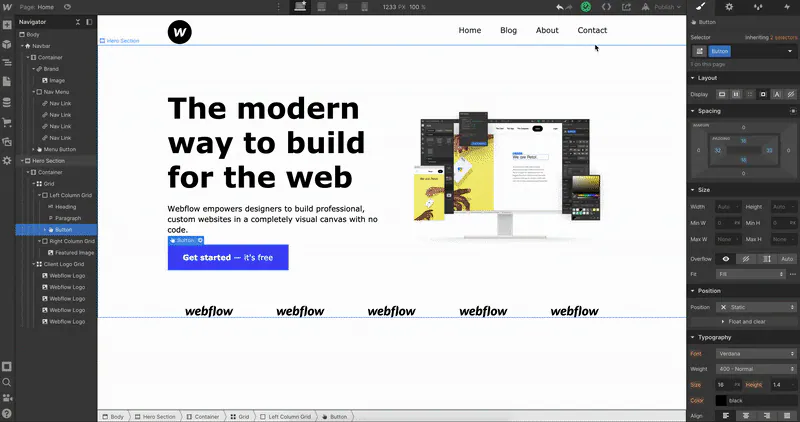
Webflow is also a complete content management solution. You can create content collections, which makes it easier to update and manage blog posts, portfolios or product pages.
The benefits of Webflow
One of Webflow’s main advantages is its ability to combine design flexibility with the power of a CMS. With this tool, you can build websites that are not only beautiful but also functional. Unlike other platforms that limit customisation, Webflow gives you total design freedom. And if you’d rather not bother, there are tons of free and paid templates created by UX and UI designers.
Another major strength of Webflow is how quickly a site can go live. You can design and publish a site in a few hours or days rather than several weeks. That lets you test your ideas quickly and adapt to user feedback. Webflow hosts sites securely, giving you, all in all, a turnkey solution.
Webflow is pretty good when it comes to search engine optimisation (SEO). You can easily optimise every page by adding meta tags, descriptions and custom URLs – in short, everything you could need.
The templates available on Webflow
Webflow offers a marketplace of templates and themes that can serve as a starting point for building websites. These templates are designed by pros, and there’s something for every taste and every industry. Using these templates saves time, especially if you don’t have the time, the skills or the desire to start from scratch. It’s what I recommend for people who are new to Webflow and want to launch a site and test their market quickly.
Choosing a template doesn’t lock you in: you can always change the colours, fonts and layouts to match your brand identity. That lets you keep a consistent image. Templates are fully responsive, even if they sometimes need a few tweaks once you’ve reworked the design.
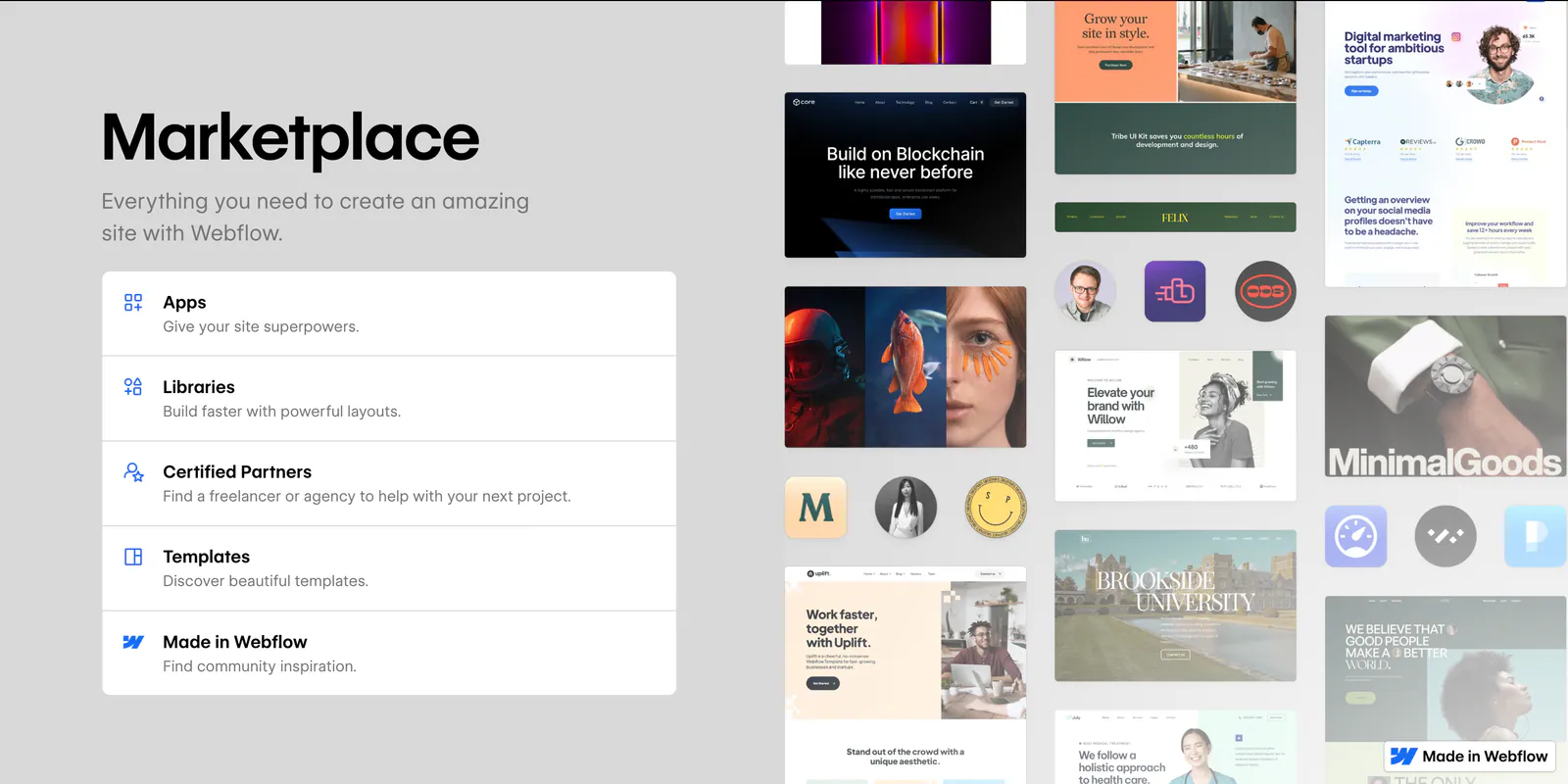
Webflow releases new templates very regularly. So you have access to fresh designs that follow the trends. You’re bound to find a template that perfectly meets your needs, while keeping the freedom to customise it afterwards.
The integrations and extensions available on Webflow
Webflow integrates a variety of third-party tools and services that enrich the platform’s core features. You can connect your site to marketing tools, e-commerce platforms, CRMs…
Webflow also lets you integrate payment systems and e-commerce solutions to create your online shop. You can add shopping cart, inventory management and payment processing features.
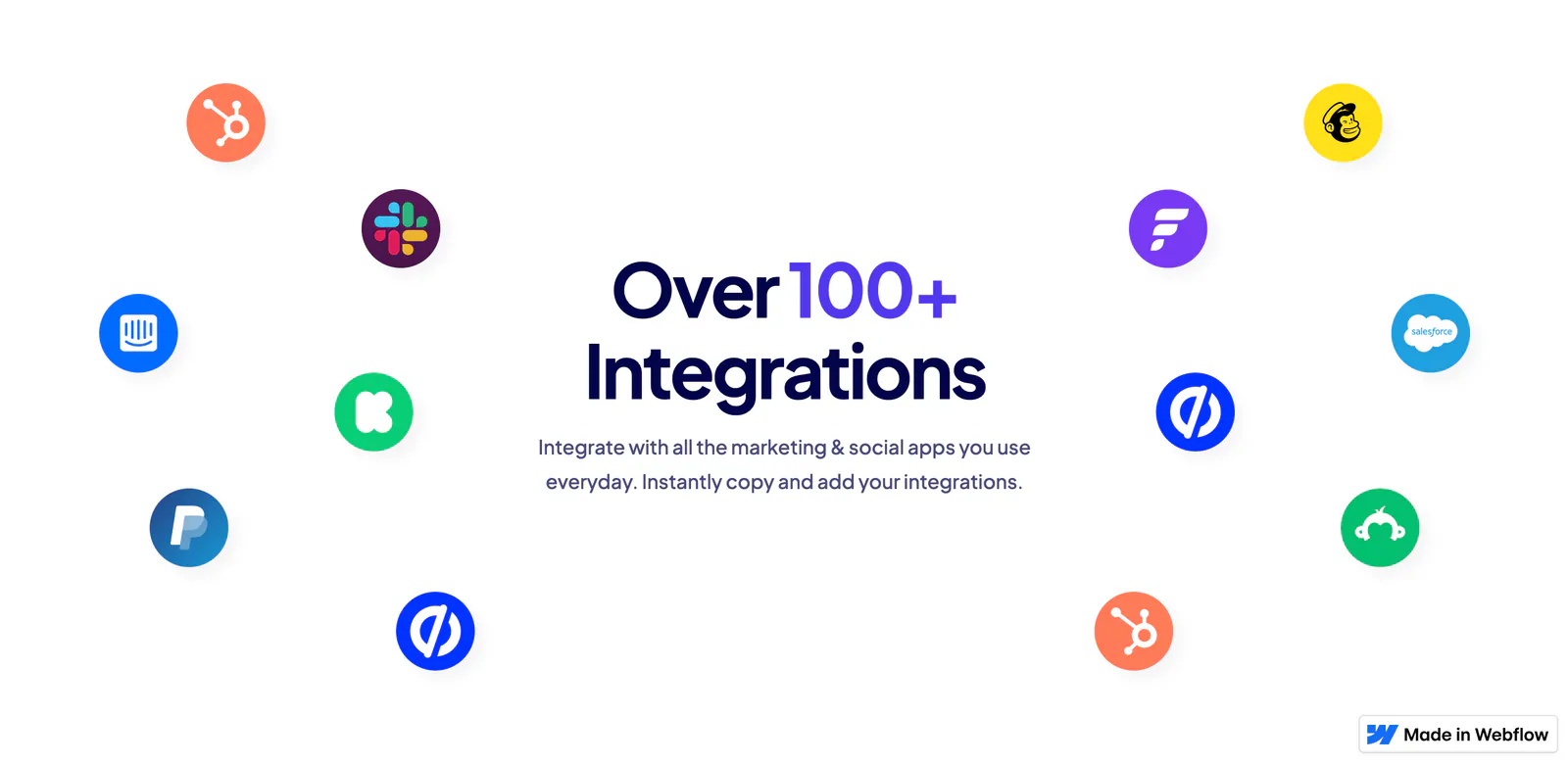
Not forgetting analytics tools such as Google Analytics (which you absolutely MUST integrate). By connecting them, you can track visitor behaviour, analyse page performance and adjust your site and your strategies accordingly. Need help building effective tracking or even creating your website on Webflow? Hire the best freelancer for your project on digitags.work, our hub of carefully selected digital talent. We find you the right person and handle the contract and project follow-up.
Learning to use Webflow
Webflow University is the learning platform to help you master Webflow. You’ll find tutorials, videos and guides covering every aspect of designing and managing sites. Everything is explained in a super-simple and rather fun way (I invite you to go and see for yourself). Webflow University offers resources for every level, so even if you already know the platform a little, it’s worth a look, especially to learn how to use the new features.
As well as video tutorials, Webflow regularly runs live webinars and workshops. These interactive sessions let you ask questions and get advice directly from the platform’s experts.
The Webflow community is also very active. There are tons of dedicated forums and places where Webflow users swap best practices.
Conclusion: why choose Webflow?
Webflow is a powerful, versatile solution for designing your website. With its combination of an intuitive interface, advanced features and superbly made learning resources, Webflow is a good choice if you want to build a great site without in-depth technical skills.
I can only warmly recommend Webflow (that’s where my impartiality ends). And if you need us, we’re here to help 😊