
The Hub blog
Webflow vs WordPress: which is the best website-building platform in 2021?
the two tools you need to know
WordPress was created in 2003, while Webflow was launched in 2013. WordPress powers more than 28 million websites worldwide, or 34% of all websites online. Yet despite its fame, WordPress faces a sizeable competitor: Webflow. Today we’re going to look at these two website-building platforms and compare them in depth. Admittedly, we personally use Webflow to manage our websites, but the choice wasn’t that simple. That’s why we want to shed a bit more light on the subject so that you, too, can make the right choice.
Let’s go!
What are the main differences between Webflow and WordPress?
1/ WordPress is limited by templates or is coded from scratch, whereas Webflow gives you total design freedom.
2/ Webflow has clean, good-quality code, whereas WordPress code can quickly become cluttered because of the heavy need for plugins.
3/ Webflow lets you make changes on the page, whereas with WordPress you have to use a dashboard and page editors.
4/ WordPress is free. You only have to pay for your hosting. Unlike Webflow, which is paid and more expensive depending on the subscription you choose.
5/ Webflow has a drag-and-drop page builder, whereas WordPress requires a plugin to enable one.
Webflow and WordPress are therefore two major competitors. However, some differences between them could help you make your choice.
Introducing Webflow
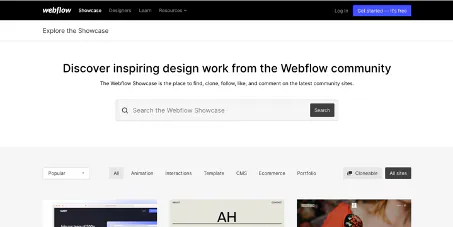
Webflow is a cloud-based website builder that lets anyone create a website without needing programming skills or knowledge. Webflow is much more powerful and customisable than other website-building platforms such as Squarespace and Wix.
What are Webflow’s features?
Webflow lets you take full control of HTML5, CSS3 and JavaScript, so you can use the visual page builder to create exactly what you need. Once you’ve built the perfect website, you can publish it directly to the web or download the code and hand it over to your developers.
The page builder uses a drag-and-drop interface, so you can start with a blank canvas and simply drag and drop all the elements, such as background videos, sliders, tabs and images, wherever you want. You can view the page structure of your website in the browser and restructure the elements you need in a few clicks.
All pages and elements come with responsive design. You can adjust and preview layouts for any device. People visiting your site will therefore enjoy the best user experience, whatever type of device they use.
Unlike other website builders, you have full control over your typography. You can use the font of your choice and customise everything, from line height to tracking.
Webflow also lets you define global colour swatches, so you can change every instance of a colour across your website in a single click, guaranteeing perfect consistency across all your pages.
Webflow: an interactive tool?
Webflow lets you create fully customised interactions and animations across your entire site without adding a line of code. The possibilities are therefore limitless.
For example, you can create scroll-based animations, meaning any element can be linked to scroll progress, so that all the elements you want to include can be revealed according to how far the user has scrolled.
You can also create animations that build up as the user scrolls, so that when the user reaches the right place on the page, the image can be seen in full.
You can also include content revealed on click or hover animations that reveal new content when you move your mouse over a certain area.
If these animations seem too complex, there are also 20 simpler preset animations you can add to your site in a few clicks.
Webflow: a content management tool
Webflow has a very comprehensive CMS that suits professional designers just as well as developers or content managers. It’s easy to create a well-structured content model and connect it to your site’s design.
You can design content directly on the page, so you can see what it will look like as you build it, or display content conditionally by adding filters. That way, depending on certain fields, only the necessary content is displayed.
You can also build the search function from scratch, so that it displays content exactly the way you want it to be seen.
Finally, you can give your clients and team members access to the site so they can get in and make the changes they want. You can even collaborate with team members in real time.
E-commerce with Webflow
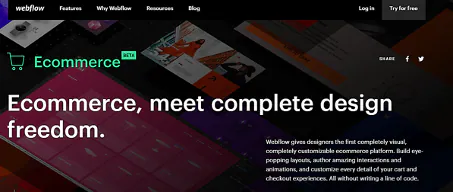
As we’ve already said, Webflow makes it easy to design your website, sell your products and grow your business by giving you full control over everything. Every page can be fully customised. For example, your checkout page can match the rest of your website.
Customers can pay for their products with several payment methods, including Stripe, Apple Pay, Google Pay and PayPal. You can choose where and how you ship your products by setting shipping rules and regions.
The order management dashboard is easy to use. Once you’re ready to ship your orders, you can quickly and easily print your shipping labels thanks to the Zapier integration.
You can also customise the transactional emails sent to your customers to confirm their purchase, to make sure everything is 100% on-brand. You can also add custom animations and interactions to stand out from your competitors.
The advantages of using Webflow
o Freedom to create fully customised websites without needing to code.
o A drag-and-drop page builder lets you build and customise your pages, all in the same page interface.
o Easy creation of animations and interactions without needing to code
o Websites are easy to optimise for search engines.
o Make changes to your page directly on the page, so you can see exactly what it will look like before publishing it.
o Invite collaborators to edit and review your site’s content.
o Powerful hosting with minimal downtime for your visitors
o SSL certificate included
o A growing library of video tutorials
The drawbacks of using Webflow
o A short learning curve, especially if you’ve never done web development before
o More expensive than WordPress
o Features still in development (POS integrations, discounts, coupons, subscription sales, digital products)
Webflow pricing
Webflow offers two types of plans:
- Site plans: various possible pricing packages.
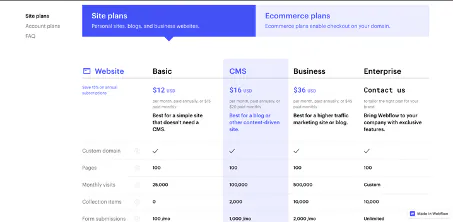
o Site plans
§ Basic: $12/month. Perfect for anyone who just needs a simple website with no need for a CMS. Includes hosting and a free SSL certificate, with up to 25,000 monthly visits and 500 form submissions.
§ CMS: $16/month, ideal for content-driven websites (e.g. a blog). 100,000 monthly visitors, 1,000 form submissions, 2,000 CMS items, limited CMS API, 3 content editors and a site search function.
§ Business: $36/month, ideal for high-traffic sites or blogs. 1,000,000 visitors per month, unlimited form submissions, full CMS API, 10 content editors, a site search function and form file uploads.
§ Enterprise: contact Webflow
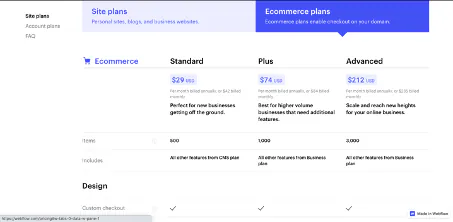
o Ecommerce plans
§ Standard: $29/month and includes all the features of the CMS plan. This plan gives you access to all available e-commerce features, lets you have 3 staff accounts, and take up to $50,000 a year in sales volume. 2% transaction fee
§ Lite: $74/month. Includes all the features of the Business plan, 0% transaction fee, 10 staff accounts and sales volume of up to $200,000 a year.
§ Advanced: $212/month. Includes all the features of the Lite plan, plus 15 staff accounts and unlimited annual sales.
- Account plans
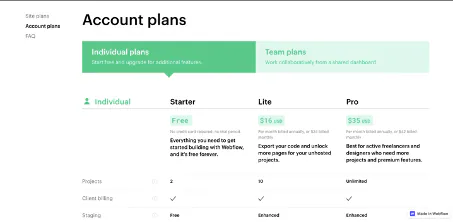
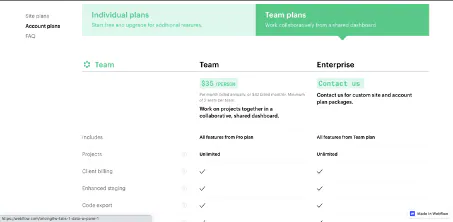
o Individual Plans
§ Starter: Free, limited to 2 projects
§ Lite: $16/month, limited to 10 projects
§ Pro: $35/month, unlimited projects
o Team Plans:
§ Team: $35/per person/month
§ Enterprise: contact Webflow
For more information on pricing, don’t hesitate to contact Webflow or take a look at their website.
Did you enjoy this introduction to Webflow? Now let’s move on to WordPress.
If you want to know even more about Webflow, you can read the following article: Webflow, the designer’s CMS in 2020?
Introducing WordPress in 2021
WordPress is open-source software, completely free for everyone; you just need to pay for your hosting. You can use WordPress to create blogs, websites, an online shop or to showcase your portfolio projects.
Designing your website with WordPress
It’s relatively easy to create your website with WordPress. You can use one of the thousands of free or paid themes available. WordPress has its own theme directory, but you can also buy themes on other websites such as Themeforest or Creativemarket.
Once your theme is installed, you can customise some of its elements such as colours, fonts, sizes and images. You can also use plugins to add extra features that aren’t already included in your theme.
Unfortunately, if you want a fully customised website, you’ll need to work with a web developer. They have full access to the WordPress theme developer handbook, which will give you everything you need to know about WordPress theme development.
WordPress: a content management tool
WordPress makes it easy to create and publish your content online. You don’t need to know how to code to use WordPress’s basic features (e.g. publishing). You can manage everything from your WordPress dashboard, which is intuitive and easy to use. The menu bar on the left lets you navigate between the different pages and areas of your website. WordPress really is a tool accessible to everyone.
WordPress gives you the option to add as many pages to your site as you like, so you can create a simple one- or two-page site or a more complex site with hundreds of pages.
If you need to add other users and authors to your site, that’s not a problem. WordPress has multi-user capabilities, and you can add new users by choosing from six different roles with different capabilities and access permissions, including author, administrator, editor, contributor and subscriber.
WordPress is actually an ideal platform for small and large companies alike, as it can easily evolve as your business grows.
So it’s very quick and easy to get started with WordPress. You can install the software in a few minutes, then add a template and content. If you move fast, your site can be up and running in less than an hour.
E-commerce with WordPress
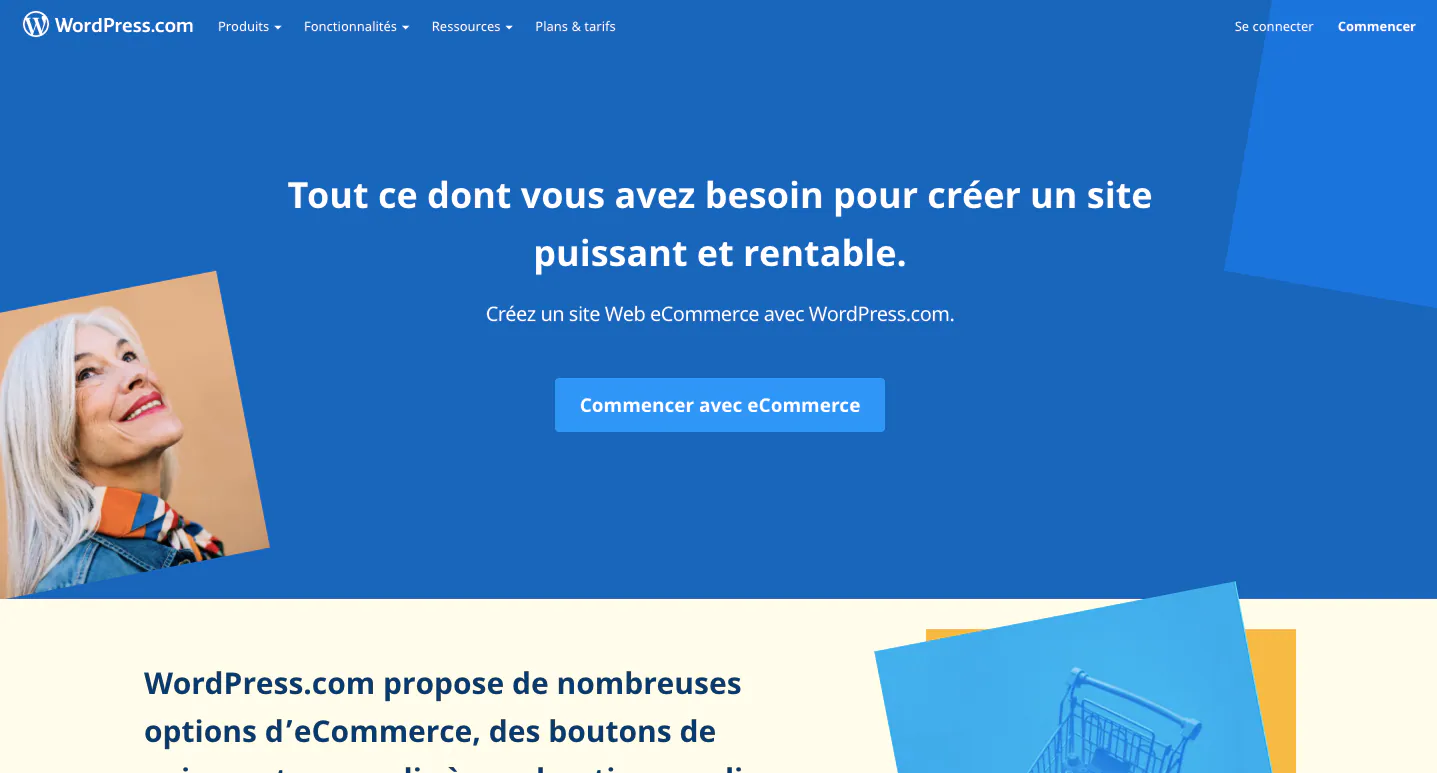
To create an online shop with WordPress, you need to install a free e-commerce plugin (e.g. 28% of all online shops run on WooCommerce. A customisable plugin.).
The advantages of using WordPress
- Free to use. You just need to pay for hosting.
- A fully customisable tool. You have full control over your site and all your data.
- Thousands of extensions and plugins are available
- Easy to use, accessible to everyone, with no need to code
- There are already thousands of integrations available for WordPress, so whatever tools you use to run your business, there’s a good chance they work with WordPress.
- Creation of SEO-optimised websites (many third-party plugins offer optimal SEO settings). WordPress is mobile-friendly.
The drawbacks of using WordPress
- If you want a fully customised design, you’ll have to code it yourself or work with a developer.
- You’re responsible for all updates and maintenance of your website, since your site belongs to you and is managed by you (unless you take advantage of managed WordPress hosting).
WordPress pricing
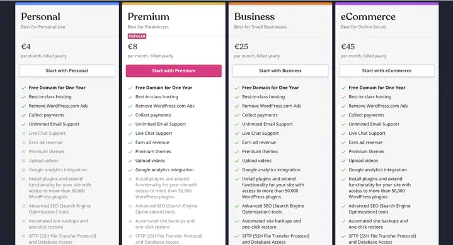
WordPress is completely free! You just need to pay for hosting, but some providers offer hosting for just a few dollars a month, so WordPress is a very affordable way to create a website (so if you’ve followed correctly, WordPress is free but using it isn’t. You’ll have to pay for hosting and the domain name).
You also have access to a Premium, Business or eCommerce theme. Obviously these are paid subscriptions.
We’d like to take this opportunity to mention that Dgitags has web marketing experts who know Webflow and WordPress very well. Our freelancers from the Tags Community can help you! If you’re interested, it’s this way.
Conclusion
We can therefore conclude that Webflow and WordPress are two very good platforms for anyone who wants to build a website.
It’s hard to give you a clear-cut answer because each of these tools meets a different need and suits different means.
We think that if price is an issue for you, you should turn to WordPress.
However, Webflow isn’t recommended if you’re looking to create an e-commerce shop. Quite simply because some features are still in beta and others aren’t yet available.
Many people consider WordPress hard to use, but in reality it isn’t all that hard. Anyone can create a site with this tool in a few hours. Managing your content isn’t complicated. What’s more, as your business grows, your website can grow too, and you can start adding team members and collaborators.
So, in reality, the two key issues remain the difference in price and in experience, since Webflow is more expensive and perhaps less advisable for beginners.
There you go! That’s already the end. The Dgitags team hopes you enjoyed this article on Webflow and WordPress.
For more content, don’t hesitate to check out our other articles on the blog, especially the one on Webflow.
That’s not all! We offer SEO and SEA services. Take a look at our website.
See you soon!
Sources: